






































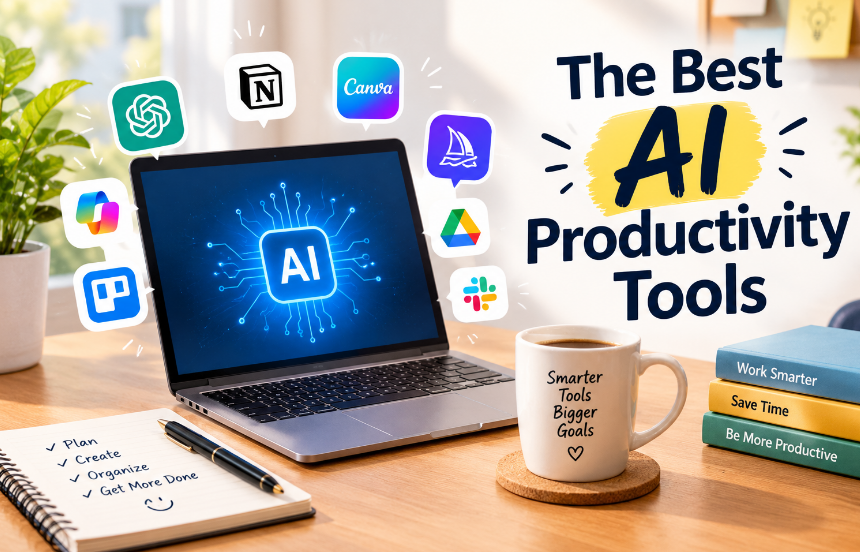
To be honest, for a long time I didn’t find the right AI Productivity Tools. I would waste 20 minutes choosing tools, another 20 setting them up and then I’d just end up using my normal to-do list.
Once I realised which tools actually save me time vs just adding another dashboard, I’ve curated this list. Some of them aren’t going to be right for you, but I’m being completely honest about that.
As prices and features change rapidly, I haven’t included exact figures. Please check the websites for each tool.
Quick Tip to Decide if Tools Are Worthwhile
I only include tools that do at least one of the following:
- Save me time – Do they save me time doing something weekly? Is it compatible with apps I regularly use? Can I quickly verify the output? This is more important than you think! If it takes you 20 minutes to double check, it’s not saving you any time!
Most Useful Assistants
ChatGPT
This is still the go-to for most people. It’s great for getting help with the messy bits. Taking a jumble of notes and turning it into a clear email, creating a weekly plan, helping to explain confusing parts of a contract or even brainstorm. If you like speaking to AI, the voice function is super helpful. There is a free version, however paid versions make sense if you start hitting limits.
Claude
This is great for tasks that involve lots of reading and careful writing. Whether it’s a summary, tightening up your writing or walking through a complex decision. I’m very biased as this is made by Anthropic. However, I would suggest trying a couple of different assistants to complete the same real-life task. As each has a personality, it really comes down to personal preference.
Google Gemini
If you use Gmail, Google Calendar, Docs and Drive, this is the one for you. The ability to ask questions about your emails and files without copying is super helpful. If you don’t use Google products, it’s not as appealing.
Microsoft Copilot
Same as above. If you spend your day using Outlook, Excel, Word and Teams, this is great for summarising long emails, explaining a spreadsheet or writing a draft document. While it’s not exciting, it’s super helpful and boring!
Note-taking, Meetings & Research
Notion AI
If you use Notion for your notes/tasks/projects, this is a great tool. The AI can quickly summarise your meeting notes and pull out action points. However, if you’re not using Notion, I wouldn’t change tools for this. If you are a Notion user, it’s a great way to level up.
NotebookLM
One of my favourite tools if you’re a student or researcher. Upload your own files (PDFs, articles, notes etc.) and ask questions related to your information. This is very different to a general chatbot as you know it’s pulling from your information. Students and researchers will really benefit from this. There is also a free version available and it’s very generous.
Otter.ai & Other Meeting Note Takers
These tools will record your meeting, create a summary and list the action points. The main benefit is that you can actually pay attention during your meeting. Always make sure to tell people you’re recording the meeting. Don’t always trust the summary and have a quick read through. Sometimes the tools don’t pick up on the context or people can get mixed up.
Perplexity
This is great for quick answers with sources. It will show you where the answer came from, which you can click through to. However, I always read through the original source for anything important.
AI Writing Tools
Grammarly
Grammarly is much more than a spell checker. It helps you keep your tone, clarity and your message professional. This would be helpful if you are an English Second Language speaker or have lots of emails to write.
Gamma
Gamma takes some notes or an outline and automatically creates a draft for your slide deck. You will still want to edit it but it makes creating your slide deck super quick.




Planning & Automation
Motion, Reclaim & AI Calendar Tools
These tools take a look at your calendar and what tasks you have and will automatically schedule your tasks around your free time. People really like them as they feel they have an assistant. However, people who aren’t fans will feel they are being micromanaged. If you struggle to find time to focus on your work, try using one of these on a free plan for a couple of weeks.
Zapier & Other Automation Tools
Automation tools integrate your apps together and will create automated processes. This could include saving attachments from emails, putting responses from a form into a spreadsheet and sending a message in Slack when something changes. Using AI will really help you create these workflows by simply telling the tool what you want. This is one of the most underrated ways to save hours every month.
Where to start?
You don’t need to use any of them all. Here is what I would recommend.
- If you are new to AI tools then start with just one all in one. After two weeks see what you use it for.
- If you have a busy schedule full of meetings and emails then add a meeting note taker and writing tool.
- If you do a lot of research or study then you’ll be covered by using NotebookLM and a search tool.
- If you have an overload of repetitive admin tasks then look into using an automator as they often give the best ROI.
- Avoid the temptation to sign up to 5 tools. Everything you use adds another login and bill.
Using the tools
How you use the tools is more important than which tools you use.
- Be specific. Instead of ‘write an email’ give more detail like “Write a friendly two-paragraph email asking my manager to move our Thursday meeting”
- Once you have your response always ask for it to be made short, friendly or from a different perspective. Usually the second or third response is the one to go with.
- Make sure you check any facts. AI can sometimes give very confident responses, even if they are not accurate. Especially numbers, dates and quotes.
- Don’t put personal information into the chat box. This includes passwords, financial information and confidential documents. Make sure you are happy with the privacy policy and that your company allows you to do this.
- Keep your personality. If you let AI write everything then your emails and posts will start to sound like everyone else. I use it to help get me out of a rut and just to make things neater. I then rewrite certain parts so it sounds like me.
Conclusion
The best AI productivity tool is one that helps you with a boring task so you can save that time to do actual work. For most people this will be one good all in one tool, one or two specific tools and some automation. You won’t need a list of 12 tools.
Choose one thing that irritates you each week and find a tool to help. Try it for two weeks. If it helps then great! If not then don’t feel guilty to stop using it and try a different tool. The tools will always be changing but this habit will stay the same.